Asset
REPORT ASSET OBSERVATION
Objective : It allows user to report Asset Observations in any GA in the system.
Below steps to be followed to complete a Asset Observation report:
- Report Asset Observation : To create new asset observation. Observation shall be done and reported by any system users.
- Review Asset Observation :
- “Asset Coordinator” will review observations once it’s reported.
Note :
- Any of the power user can report can do Asset Observation
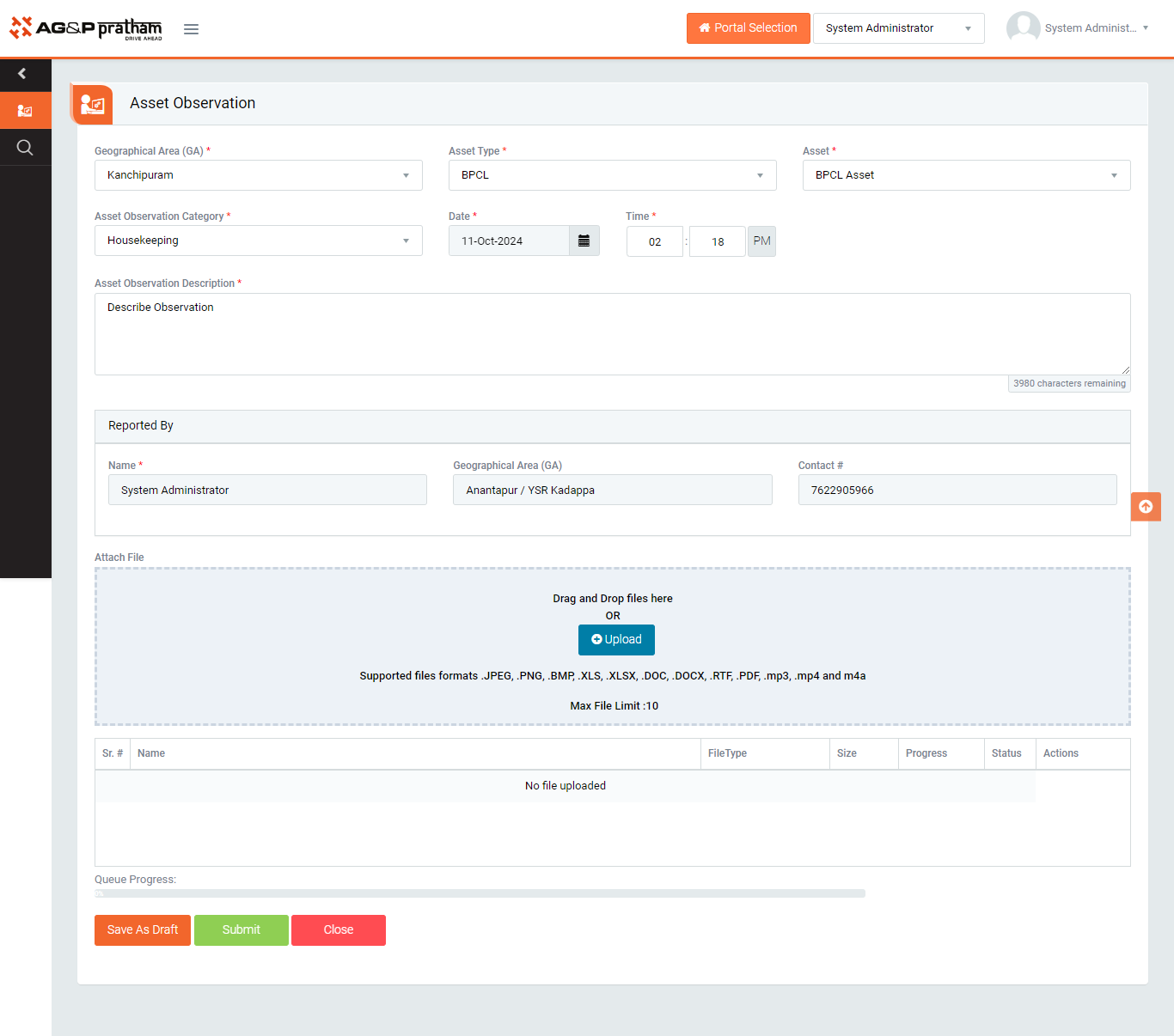
Figure 1
- Navigate to EHS portal | Asset Observation | Report Asset Observation screen. (Image 1)
- Select GA, Asset type, Asset and Asset Observation Category.
- Select Observation category and provide observation detail.
- Unsafe Act
- Unsafe Condition
- Click “Submit” button to save the data and send the observation report for review to Asset Coordinator.
Note :
- Observation shall be reported by any system users.
- The fields marked with * are mandatory to be filled.