Safety Observation
Review Unsafe Act / Condition Observation
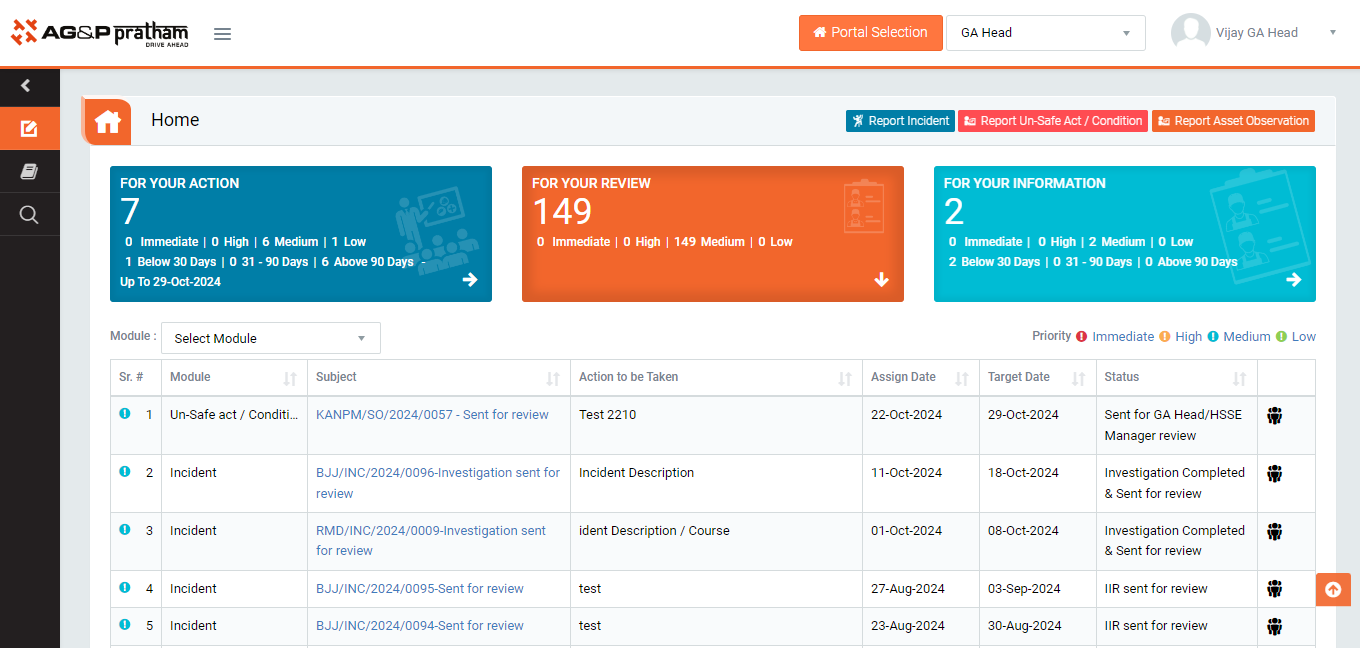
Figure 1
- Login as GA Head / HSSE Manager and navigate to EHS portal and to My Action screen | For your review(Image 1)
- There are three section provided to view and take action against tasks which are mentioned below :
- PENDING ACTIONS : Display “Incident/Near Miss”, “EHS Observation”, “EHS Inspection”, “Equipment Inspection” and action items which needs to be performed. Also display the tasks which are saved as draft are displayed here. User will update final information and submit it for further action. (This section is display by default)
- REVIEW ACTIONS : Display the tasks such as “Incident/Near Miss”, “EHS Observation”, “EHS Inspection” and “Equipment Inspection” including action items which needs to be reviewed. The tasks will be displayed to reviewer for review where reviewer will take action against it.
- INFORMATION ACTIONS : Display all the tasks such as “Incident/Near Miss”, “EHS Observation”, “EHS Inspection” and “Equipment Inspection” to creator/requester with their current status. User can view the task details by clicking subject in “Subject” column.
- When subject of “Unsafe act / condition Observation” in subject column in “REVIEW ACTIONS” section is clicked “ EHS Observation no - sent for review” screen will be opened in different tab.(Image 2)
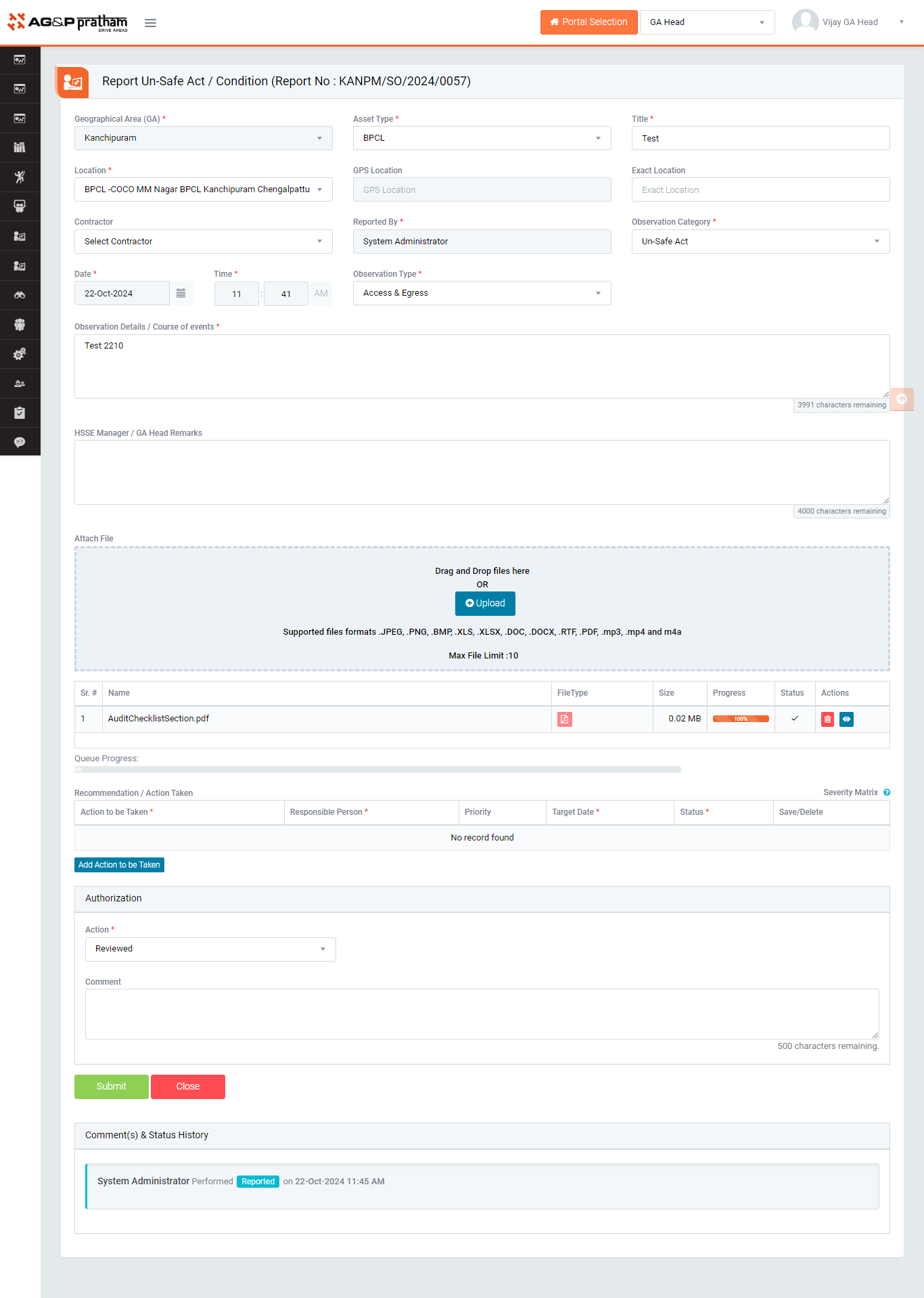
Figure 2
- To take action against a particular observation report select Action from drop down list as below :
- Reviewed : If observation report is valid then “GA Head / HSSE Manager” shall be able to edit observations details if needed and approve reported observation along with concern person reviews. In this case it’s mandatory to add Action Item.
- Click Submit button to submit the observation report as per the selected action and action item tracking process flow shall follow if action item(s) available. The action items will be available to the responsible person once observation is approved.
Note :
- The fields marked with * are mandatory to be filled.
- Reviewer can edit the report contents.
- Action Item(s) is mandatory to be added in case observation is approved.