MOC
MOC REVIEW ACTION
Review MOC By Reviewer
- Reviewers:
- Line Manager at GA Level / Department Manager at Department Level
- GA Head at GA Level / COO at Department Level
- Department Head
- MOC Coordinator
- MOC Review Committee
- Regional Head
- HO Committee
- COO
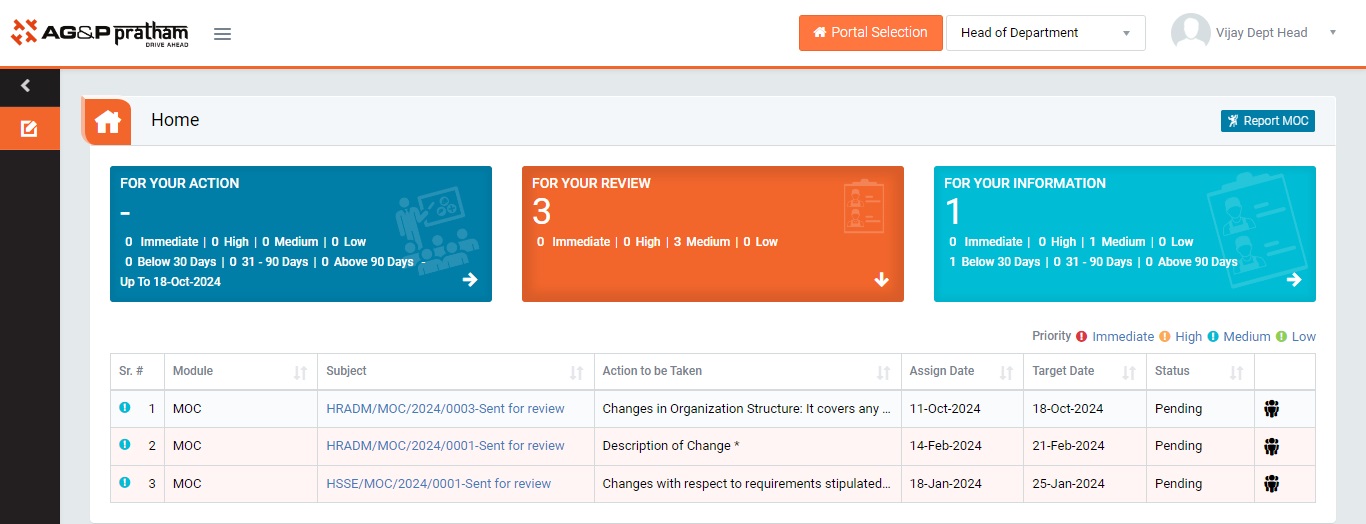
Figure 1
- Login as Reviewer . Navigate to MOC Portal | For Your Review tab. (My_Actionpage)
- All the MOC Report details will be populated in a tabular manner.
- Click Subject, Section, Action to be Taken, Assign Date, Target Date and Status on header on the table to view the MOC in ascending/descending order.
- Click on “Hyperlinked Subject” in Subject column to review the MOC which will open in different tab. (Review_Page)
- By default, all pre-filled data will be automatically displayed. GA, Asset Type, Location, Line Manager, MOC Coordinator, Issued Date & Time and Valid up to fields will be disabled.
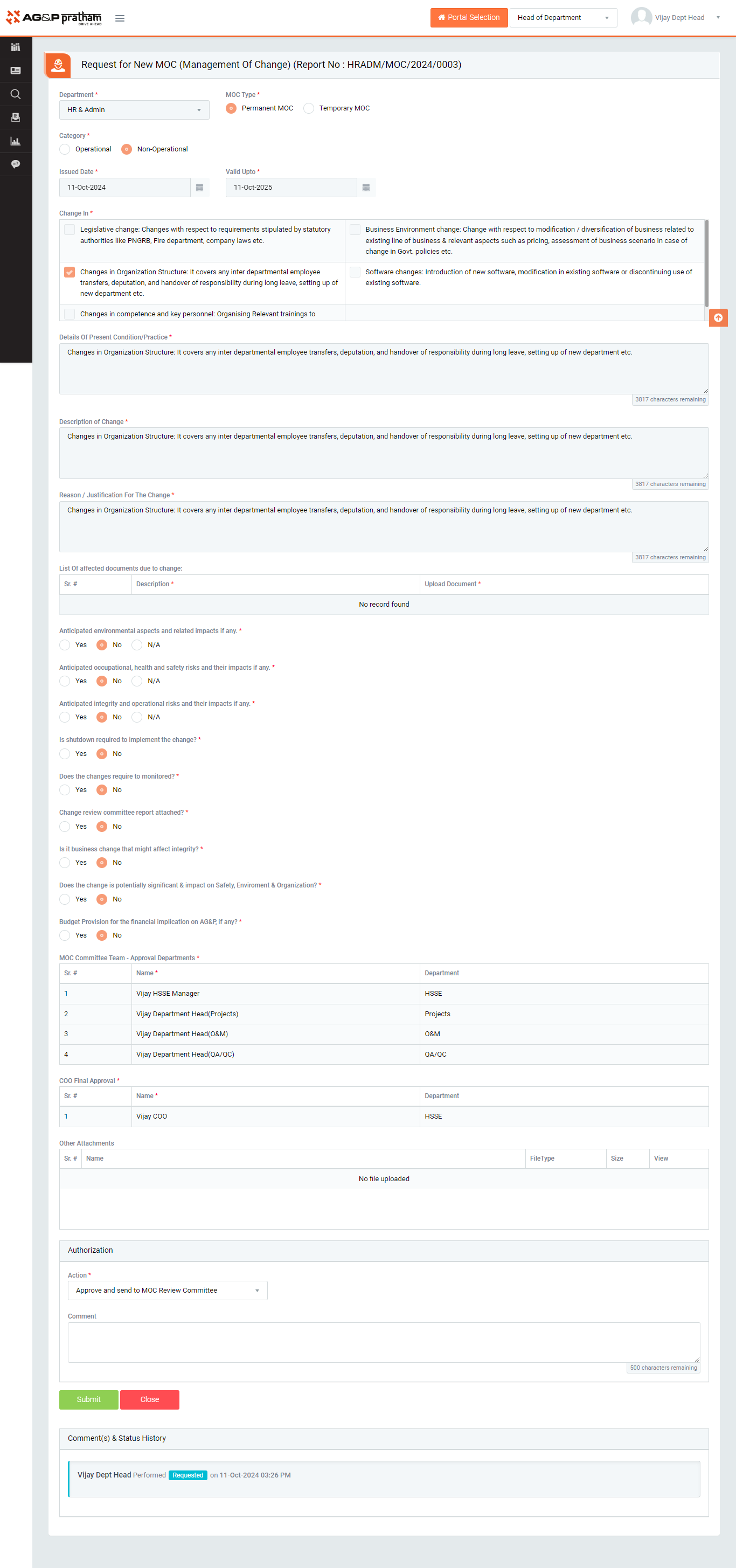
Figure 2
- Reviewer authorized to perform below actions
- Approve and Send to ‘Next action reviewer’
- Next action - GA Head, MOC Coordinator, MOC Review Committee, HO Review Committee, COO etc.
- On selecting this action, MOC request will be sent to next reviewer
- Approve and Send to ‘Next action reviewer’
- Send back for correction
- On selecting this action, MOC request will be sent back to requester to make corrections
- Comment is mandatory
- Discard
- It will discard the MOC request and Close there it self.

Figure 3
- Click Submit button to save the details and proceed to next action.
Note :
- The fields marked with * are mandatory to be filled.
- Reviewer cannot edit the request content.